AI Furniture Visualizer
Upload a room photo and a product photo to see how a sofa, chair or table might look in your own space. Compare the result with your original photo.
- Starting point
- A room photo and one or more product photos
- Output
- Room image with the furniture placed
- Availability
- Image generation
Results
Project historyCompleted images appear here with their own download link.
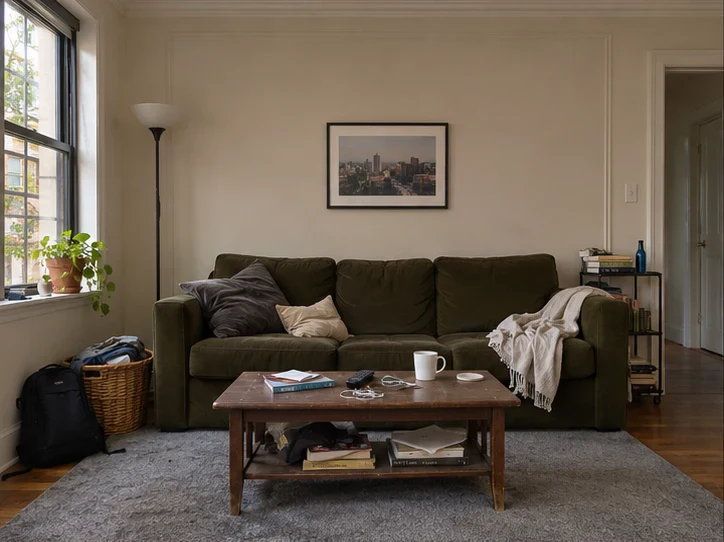
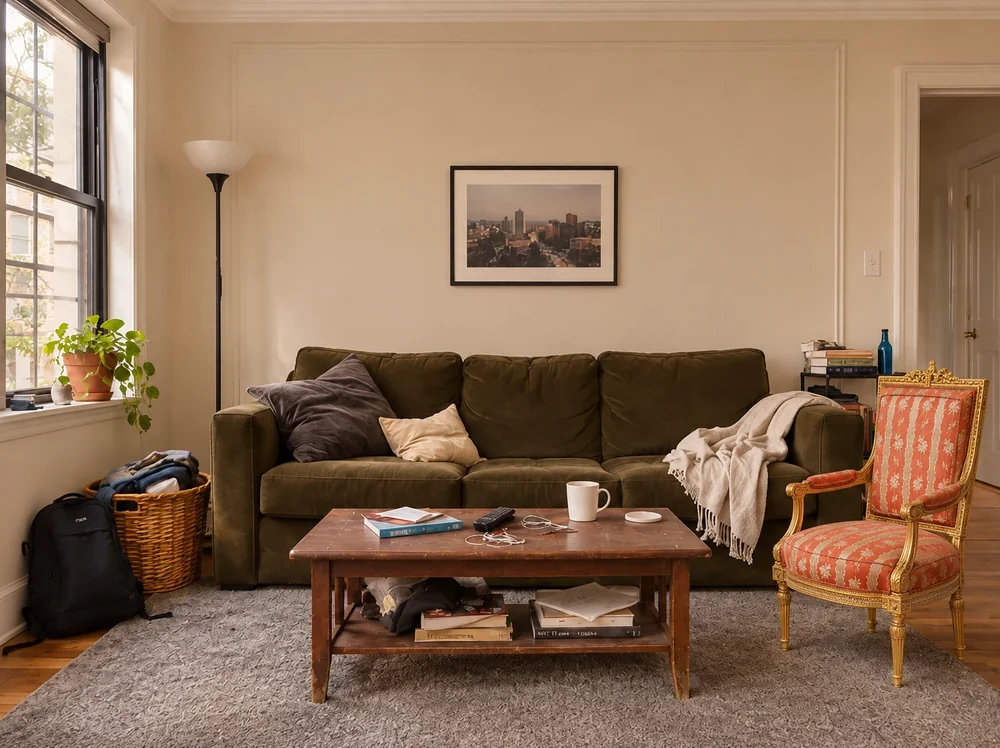
Living room furniture try-on example
We used a separate product photo to preview an armchair beside the sofa. Compare the chair’s visual scale with the coffee table, then check the actual dimensions before buying.
Questions about Furniture Visualizer
How can I see what a sofa looks like in my room before buying?
Upload a wide room photo and a separate product photo. Give the intended position and use the original view to compare. Verify the sofa dimensions and delivery route with the seller. Try a sofa from a product photo.
Can I try two chairs in the same corner using product photos?
Generate once per product using the same room photo and outline. Mark the placement with one product photo per request, then compare each download against the original. Open furniture visualizer.
What reference should I use before buying a chair or sofa?
Use a clear product photo from a similar angle. Choose Marked location with one reference and outline where the piece should go. Check the seller’s actual dimensions before ordering.